AMT Help Files

EXIT
| Syntax Color Legend |
|---|
| Command |
| Mandatory parameter |
| Optional parameter |
| Mandatory keyword |
| Optional keyword |
Syntax
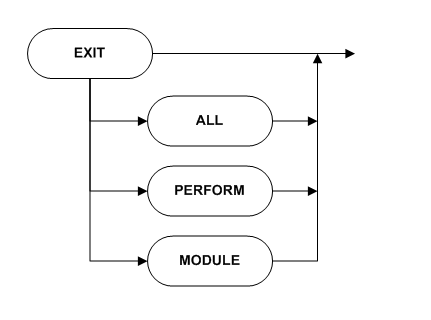
EXIT [PERFORM | ALL | MODULE]
Description
Ends the execution of a routine. When no suboption is specified, only the execution of the current routine will be stopped.
Diagram
Returned value type
None
Parameters
| Parameter | Description | ||
|---|---|---|---|
| ALL | Ends the execution of the current report or form. If this option is used in a global routine dll, that dll is ended, but also the calling report or form.
|
||
| PERFORM | If encountered while a PERFORM is being executed, AMT will exit the performed code. Subsequently, AMT will continue executing the code that follows directly after the PERFORM instruction. If there is no PERFORM active and the EXIT PERFORM is encountered in a MAIN, DISPLAY_MAIN or PROCESS_MAIN section, AMT will omit the execution of the EXIT PERFORM. This means that AMT will then continue code execution as normal. If there is no PERFORM active and the EXIT PERFORM is encountered in any other routine, AMT will treat this statement like an EXIT. This means that the whole routine will then be stopped. | ||
| MODULE | This command is used to Exit a Global Routine DLL or Global Performable Routine. |
Remarks
This instruction does not affect the system item ERROR.
Overview of some properties of sme, smex, exit, refresh and sme + error.| SME | SMEX | EXIT | REFRESH() | SME + ERROR | |
|---|---|---|---|---|---|
| System item error | Not changed | Set to true | Not changed | Set to true | Already true |
| Ends current routine | No | Yes | Yes | No | No |
| Repaints screen | No | No | No | Yes | No |
| Perform display main | Yes | No | Yes | No | No |
Example
In the example the routine checks the form in check_form. If an error has occurred the EXIT command makes sure that the routine is finished.if actie
check_form ()
if error
refresh ()
exit
endif
process_form ()
refresh ()
endif