
View transactions
When in the configuration used by an application 'Transaction logging' is enabled for all the transactions executed, a log entry is entered in a transaction log database. This transaction log has to be created separately for every AMT-COBOL installation (See Databases).
The 'View transactions' option enables access to the entries in the transaction log database. An example of such a list is shown below.
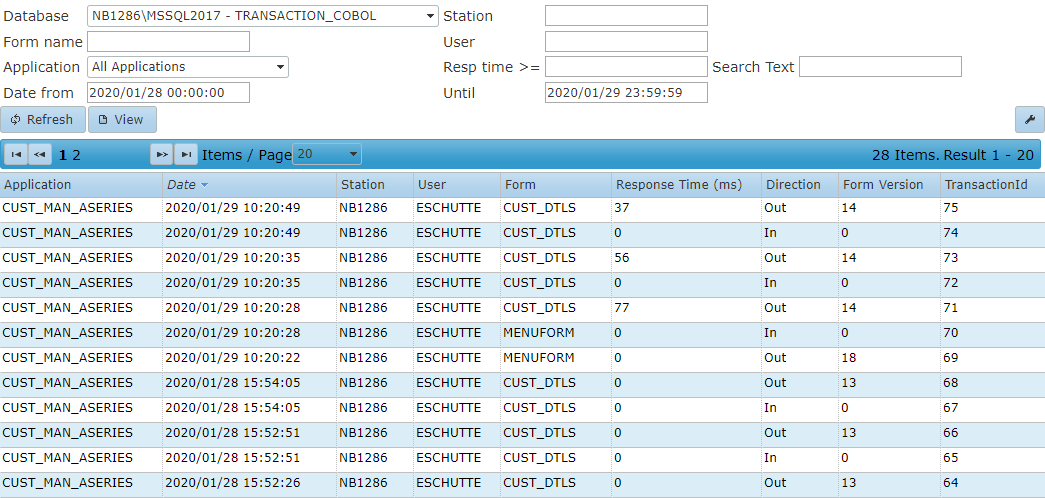
Different databases can be viewed. Filters can be applied on the Form, application, date/time, Station, User, Response time and a possible Search Text. When a Search text is entered, the text will be look for anywhere in the transaction, so it is possible to look for specific transactions on names, client numbers etc.
When a transaction is double clicked, the transaction viewer is opened.
Transaction viewer
With the 'Transaction viewer' the transactions can be viewed exactly as the User has executed these transactions, including the graphical Screen information in the Screen tab and the values of all the fields in the Fields/Values tab. With the arrow buttons the first/next/previous/last transaction can be shown.
Screen view
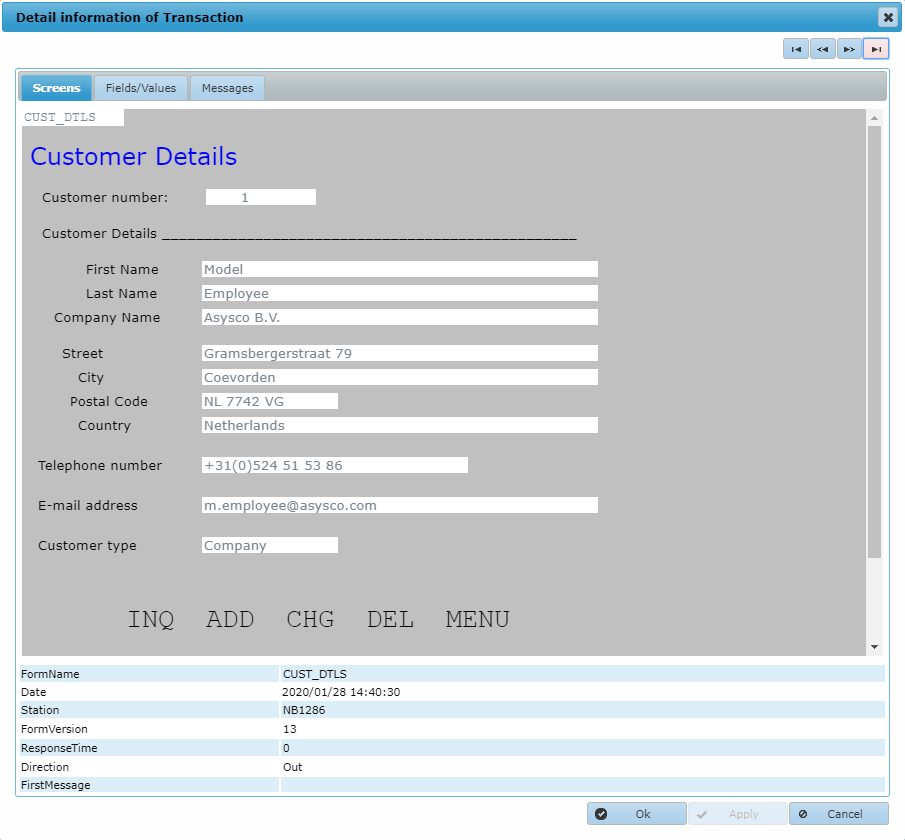
In this view, the screens will be shown exactly as during the user interaction with the application.
Fields/Values view
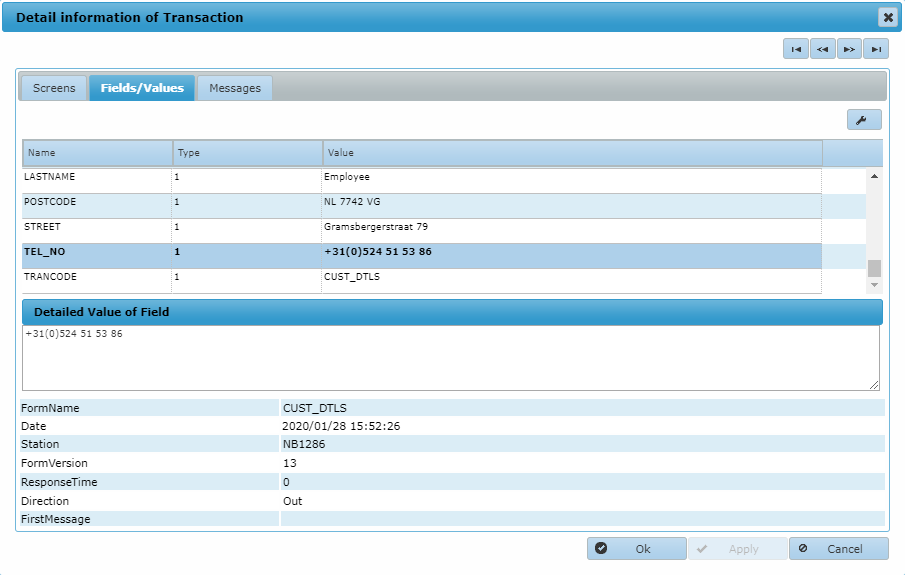
In the upper pane the fields and their values are visible. When a field is selected, a detailed value of that field is shown in the lower pane.
Messages view
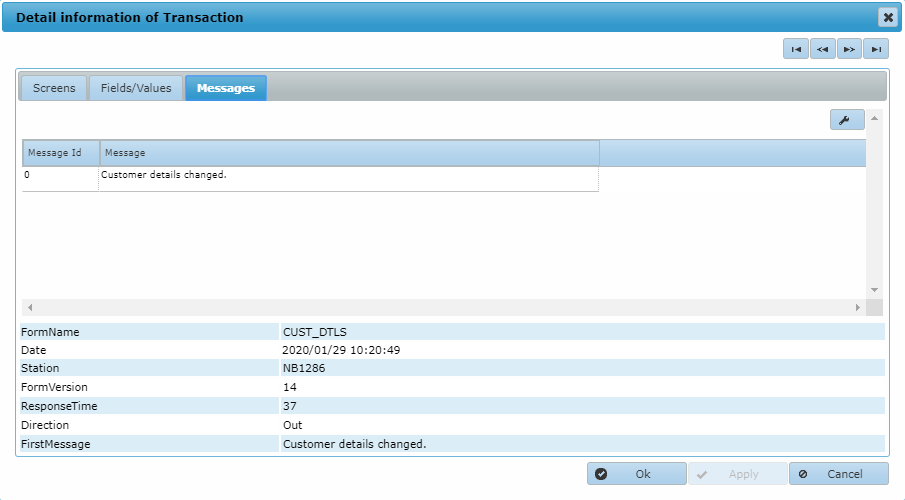
In the messages tab eventual messages from the Business Logic in the transaction will be shown.