
Batch Control
This menu option enables the operator to view messages for only a single job. The operator is presented with a page that shows the jobs and their corresponding messages, as shown in the screenshot below. A user can view and control only those jobs of applications that have been added to their role. Settings changed on this page are remembered when the user returns to the Batch Control page.
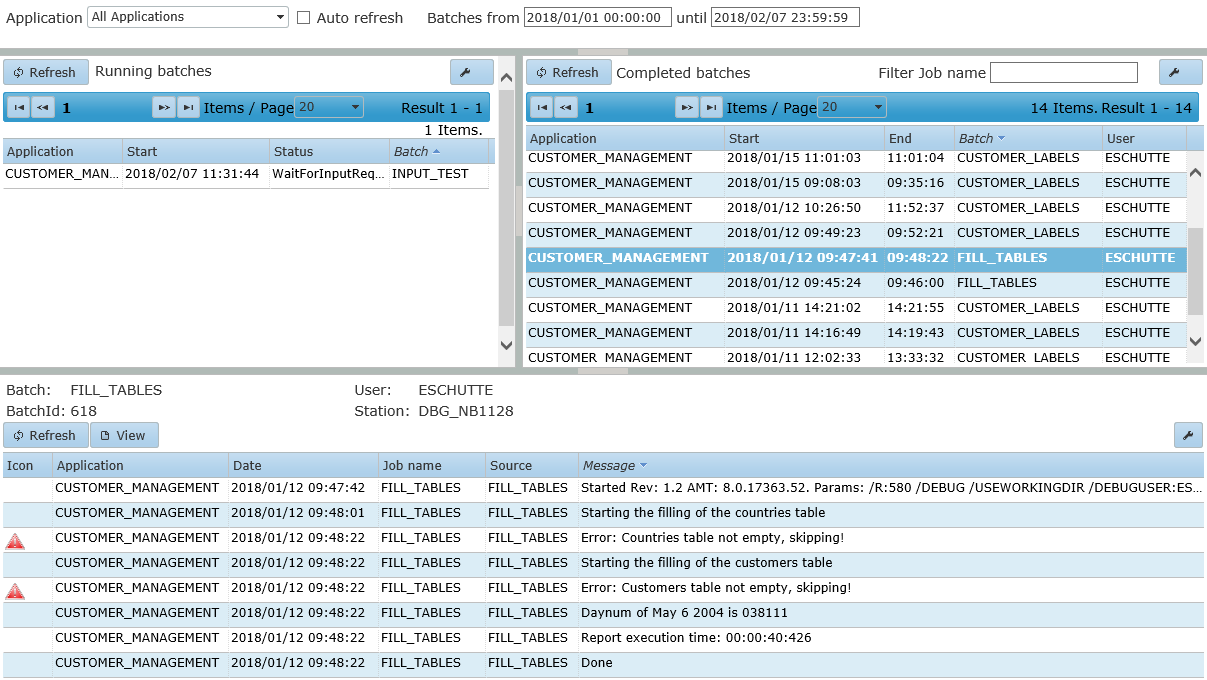
In the top-left pane is a list of running jobs, and in the top-right pane is a list of ended jobs. When one of these jobs is selected, the messages for that job appear in the message list in the bottom pane. The completed batches list can be filtered by job name. When the selected running job is waiting for an answer to an input request, the bottom pane shows an answer field and a Send button.
| All times in the Batch Control menu are displayed in the user's local time zone. |