AMT Help Files

Code database
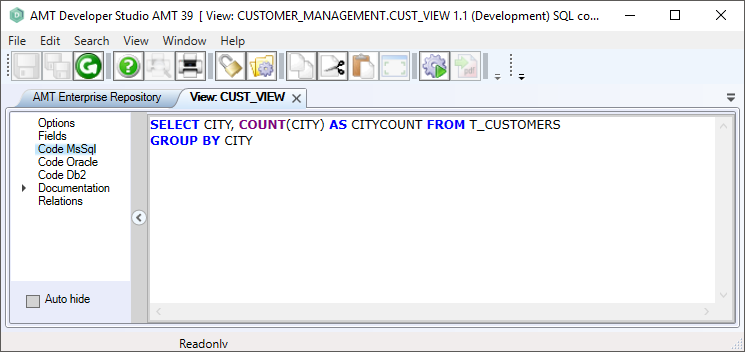
To add the SQL code for the view, select the node in the left pane that matches the database type used in your runtime environment:
- Code MsSQL - Microsoft SQL Server database
- Code Oracle - Oracle SQL database
- Code Db2 - IBM Db2 database
Enter the SQL code in the right pane. To use parameter names in the code, prefix them with the @ sign. Refer to your database management system documentation to determine which syntax is valid.
Note:
- The AMT Developer Studio does not perform any syntax checks on this code, so you must test it manually. If views are generated with code that is not valid for the database system used at runtime, errors occur during the database reorganization.
- The order of the fields in the code must match the order in the field definition. Otherwise, data is assigned to the wrong field. No check is performed to verify that the order is correct.
- The table name is written as T_CUSTOMER. The AMT Developer Studio uses this name to find table names in the SQL code and mark the relationships. At runtime, this part is replaced with the actual table name (for example, in the case of reversed names), and the necessary schema prefix is added for Oracle and any optional remote database prefixes for Oracle or Microsoft SQL Server.
- If you target only one database type, only that code node needs to be filled. Otherwise, you must specify all target databases used at runtime. No SQL syntax checking is performed.
- The use of indexes and materialized views is not implemented.
- After any change to a view, a database reorganization is required.