AMT Help Files

Insert Statement
This option in the code wizard creates the program code to insert a record into a table.
| Steps | Instructions |
|---|---|
| Step 1 | Set the cursor at the place in your code where you want to insert the new code lines. |
| Step 2 | Start the code wizard. This can be done by clicking the right mouse button and choosing "Code Wizard" from the popup menu, or by using the shortcut "Ctrl+W". |
| Step 3 | Choose "add insert statement" |
| Step 4 | Choose the table query that you want to insert and click "Finish".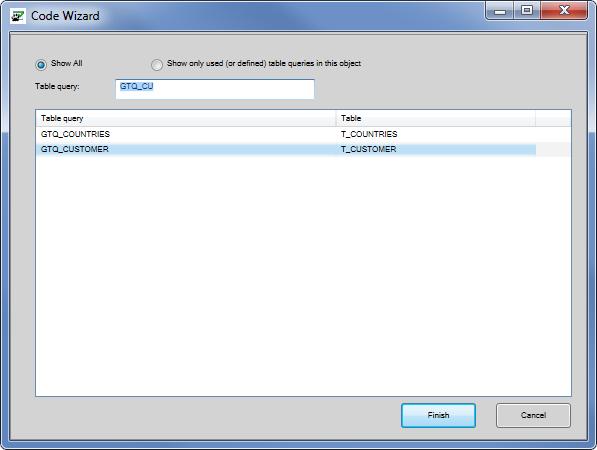 In the 'Table query' field a search string can be entered consisting of the starting letters of the table query to find. |
| Step 5 | The lines that are created by the Code wizard are the beginning for a table query in which you fill in
the parameters that have to be used to fill all the fields of a single record.
|