
Classes with Lists Web Services
The use of classes with lists in web services is explained by using the class car2, which is defined as follows:
begin_definitions

type
  car2 : class

    public
      Features  : list (alpha 20)
      RALColour : list (numeric 4)
  end_class

end_definitions
Provided web service for classes with lists
Provided web service routine
A provided web service always uses a routine defined in a web service-enabled form. For example:
routine class_lists_test (var auto2 : car2)

begin_routine
  if auto2 = NULL
    auto2 := car2.create()
  endif

  auto2.features.add('Trailer hitch')
  auto2.features.add('Climate control')
  auto2.features.add('Sunroof')
  auto2.features.sort()

  auto2.ralcolour.add(9011)
  auto2.ralcolour.add(3013)
  auto2.ralcolour.add(5001)
  auto2.ralcolour.sort(dsc)
end_routine
When no instance is passed to the routine, a new one is created. The lists are then filled with new values and sorted. The result is available to the provided web service through the parameter defined as VAR.
| Before AMT 84, classes and lists as routine result parameters were not supported for use with provided web services. Only classes and lists defined as VAR parameters were supported. With AMT 84, both lists and classes are supported as routine results, including for use with provided web services. |
Creating the provided web service
You can create a new provided web service from this routine by using the standard procedure described in the Web Services help pages.
|
It is important to set the options in the provided web service to the following values when using lists in web services: SOAP Default style: Document Default use: Literal |
The resulting operations view looks like the example below.
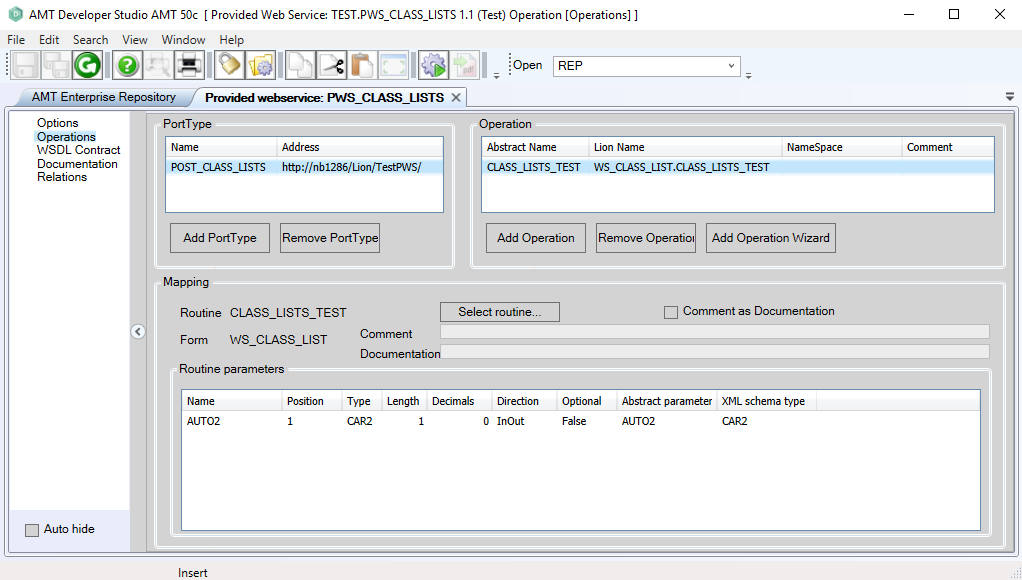
The returned type should be the class type, and the length should be 1. The provided web service can now be generated and configured in the provided web services web.config file and in the appropriate <PortType>.ini file.
Testing the provided web service
You can then test the provided web service by using SoapUI, as shown below. It is best to import the WSDL into SoapUI by using the web service itself. Because the routine uses VAR, example input values were added to the request.
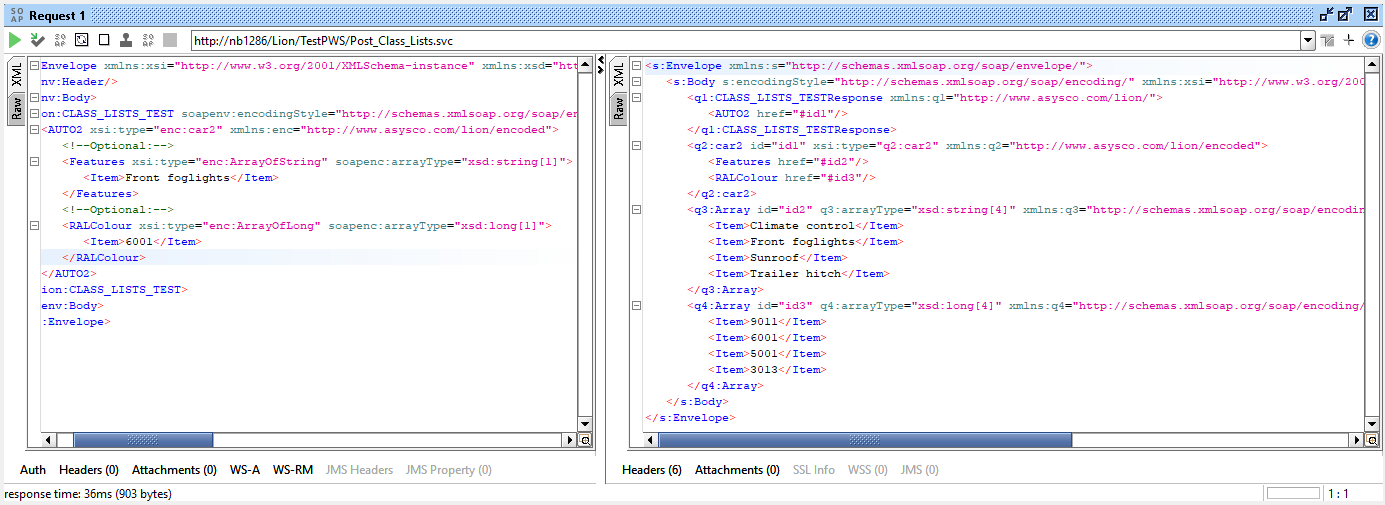
The returned list values are shown above.
Consumable web service for classes with lists
Creating the consumable web service
For the consumable web service, the previously created example for a provided web service with classes and lists is used in the same way as described in the Web Services help pages. The resulting operations view looks like the example below.
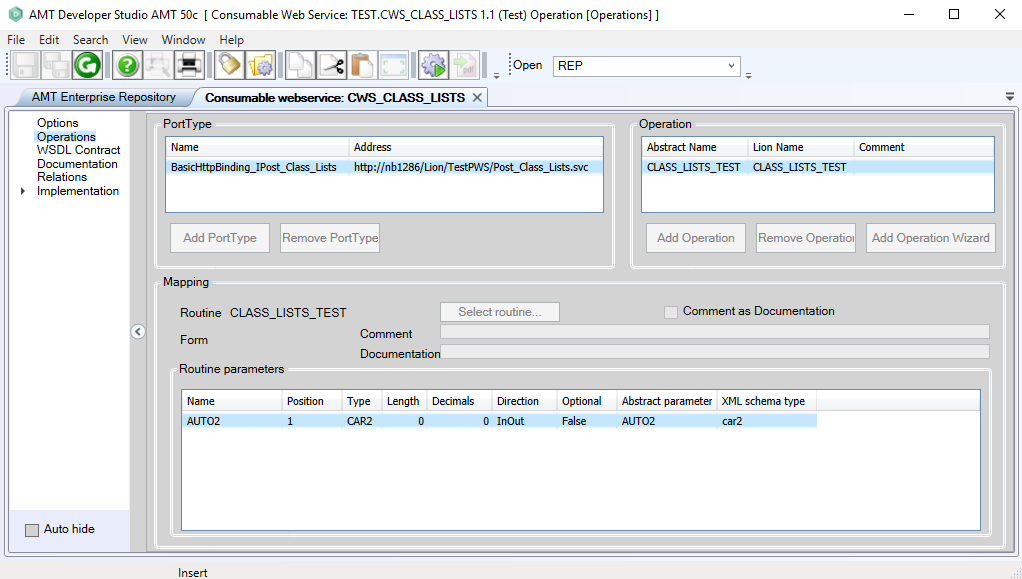
A new class type with the same name as the original is created from the provided class. This is a local class definition in the consumable web service object and can be viewed in the Implementation > Definitions menu option.
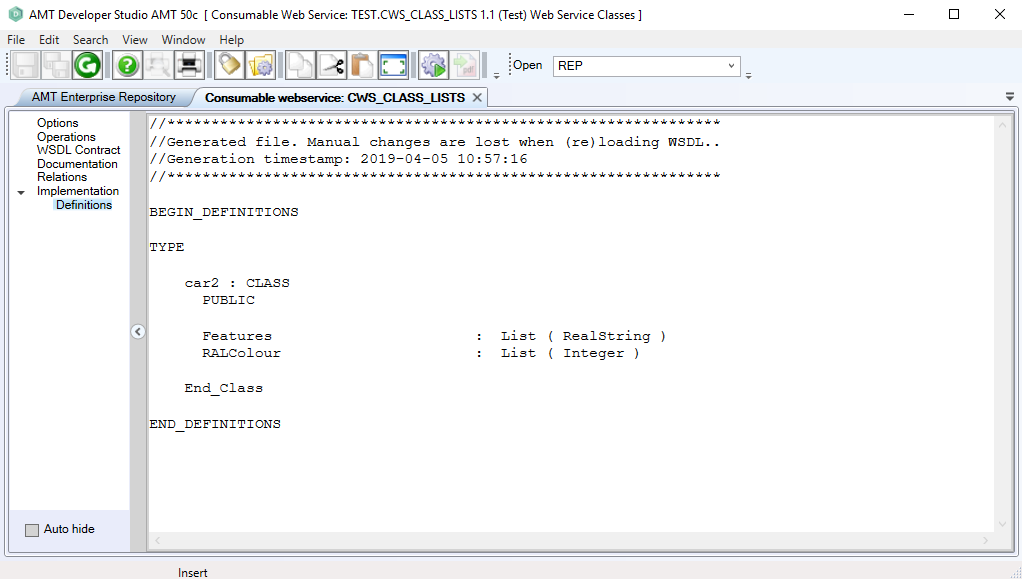
This local class can be used in other objects to create an instance of it, which can then be filled by a call to the consumable web service.
Consumable web service report
In a report, this could look like the following example:
begin_definitions

const

var
  fleetcar2 : cws_class_lists.car2_web

booleans

end_definitions

routine main

begin_routine
  fleetcar2 := cws_class_lists.car2_web.create()

  fleetcar2.features.add('DAB+ Radio')
  fleetcar2.ralcolour.add(4007)

  cws_class_lists.basichttpbinding_iport_class_lists.class_lists_test(fleetcar2)

  sme('Number of features :', fleetcar2.features.count)
  sme('Highest colourcode :', fleetcar2.ralcolour[1])
end_routine
First, a variable (fleetcar2) is defined as the local class of the consumable web service. Then an instance of the class is created. This instance has two list items added to it and is then used in the call to the consumable web service, which fills it with data from the provided form routine (see the top of this page). The messages sent by this report show that the class instance holds 4 features and that the first ralcolour element contains the number 9011.