AMT Help Files

Completed Jobs
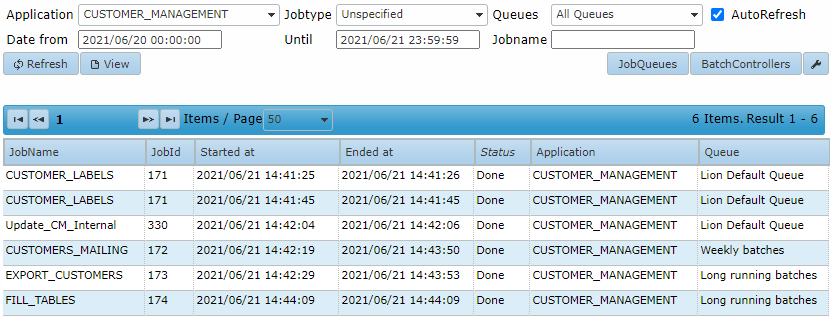
The Completed Jobs tab displays a list of jobs that have finished running. A filter can be applied to narrow the list. You can filter by application, job type, queue, date range, and job name.
| The Batch Controller must be running |
|---|
| If the Batch Controller is not running, an error will be displayed with the following message: "Failed to get the running jobs statuses." |
| Timestamps |
|---|
| All times displayed in the Job Management section are local to the user's time zone. |
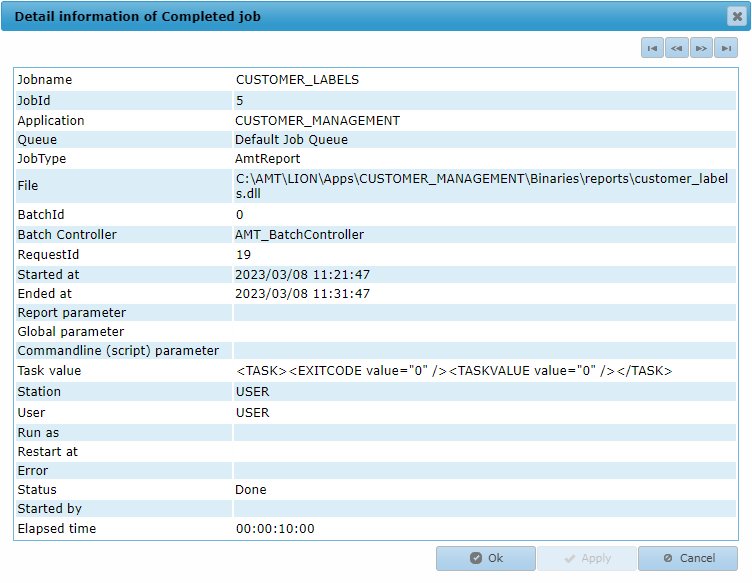
The View button becomes available when a job is selected from the list. Use it to view the completed job. The image below displays the details of a completed job.