AMT Help Files

Component Activation
This option gives access to the relations between the different parts of the Application Center (AC), Control Center (CC), and Lionscreens (LS), and roles. This option controls whether a user can use all functionality in AC, CC, and LS, or only selected parts. If a component is deselected for a user role, that component is not accessible for that user role in AC, CC, or LS. There are two tabs: Role activated components and Component activated roles, as shown below. Both tabs provide access to the same relations; only the view is different. A list of all the available components grouped by Component type is shown in the help page Security Components.
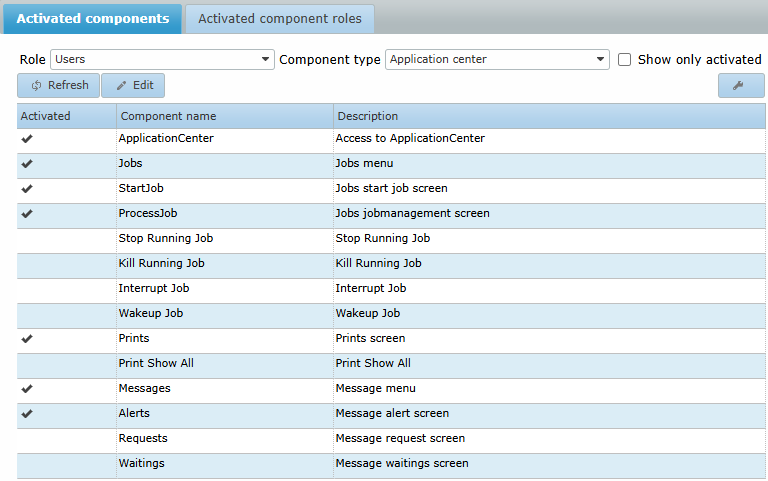
- Role Activated Components: the components that are activated for each role, viewed per role.
- Component Activated Roles: the roles for which a component has been activated, viewed per component.
| The only roles visible in the role pulldown menu are those that the user is a member of. So a top level system administrator should be a member of all existing roles in the environment. |