
Operations
Operations in Consumable Web Services
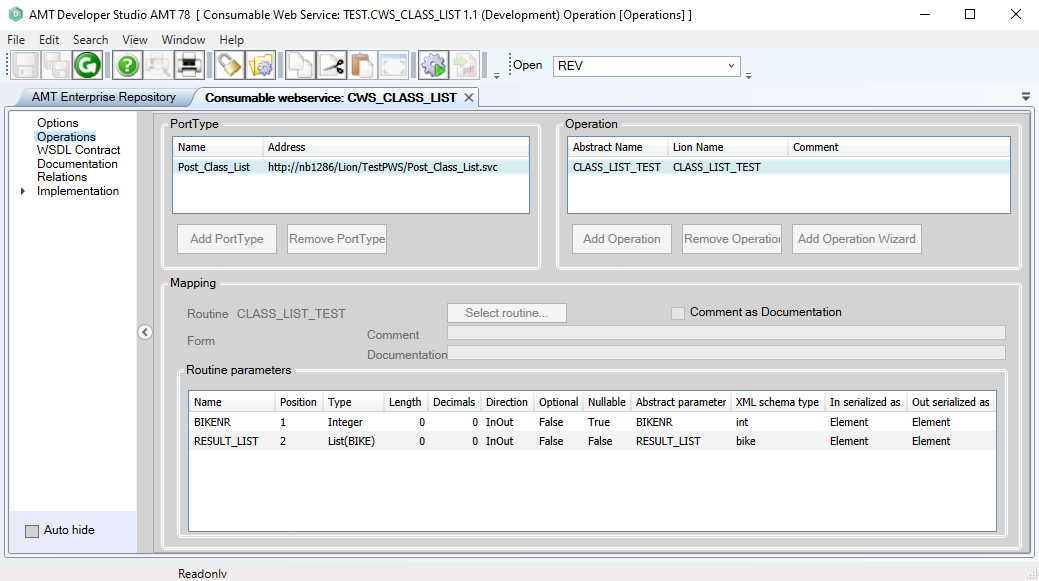
In the Operations screen, all information required for the web service to work correctly is available. In a Consumable Web Service, the information can only be viewed to verify that the WSDL contract has been imported correctly. Therefore, the buttons in a Consumable Web Service are grayed out, as shown below.
PortType
In the PortType pane, a list of the PortTypes defined for this Web Service is shown.
Operation
When a PortType has been selected in the PortType pane, the available Operations for this PortType will be listed in the Operation pane.
Mapping
When an Operation has been selected in the Operation pane, the available Parameter Mappings for that Operation are listed in the Mapping pane. These parameter mappings are derived from the routine selected for that Operation.
In a Consumable Web Service, the Mapping defines the type and order of parameters in the Web Service subroutines called from the code. See Managing Consumable Mappings.
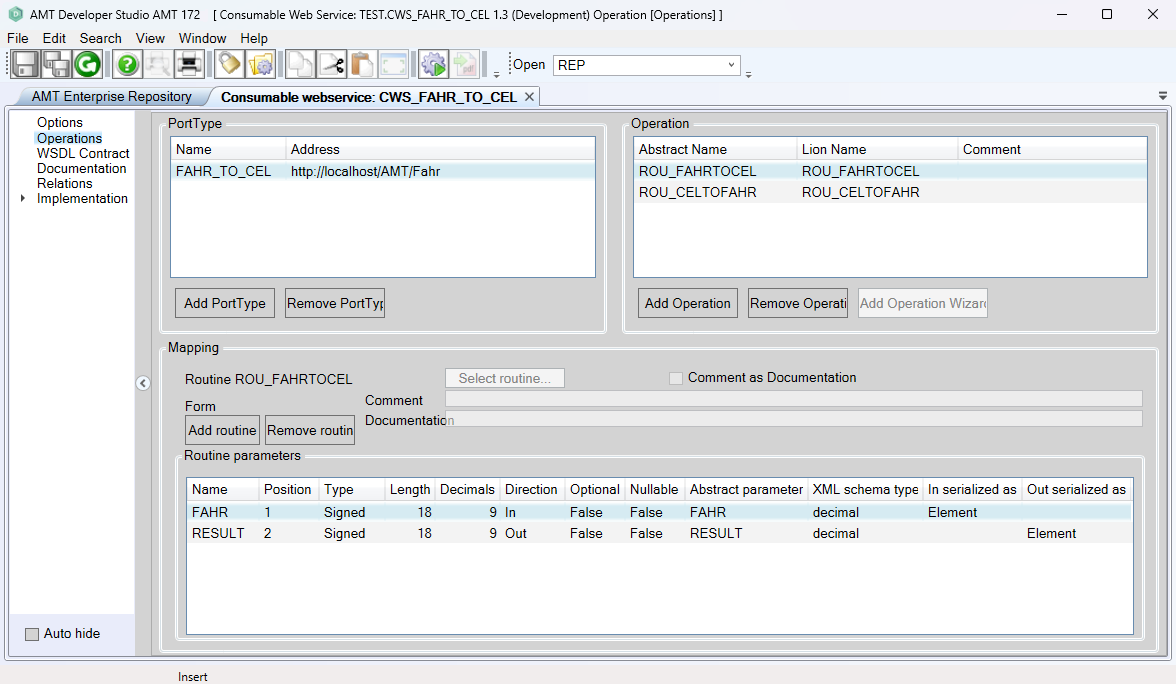
Warning: AMT does not check the validity of the PortType, Operation, and Mapping settings. The developer is responsible for ensuring that these settings are correct for the Web Service to work properly.
PortType
In the PortType pane, a list of the PortTypes defined for this Web Service is shown.
PortType entries can be added or removed with the buttons at the bottom of the pane.
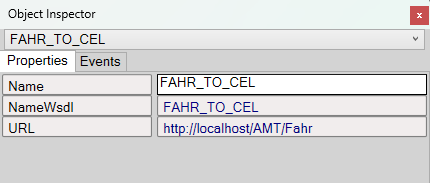
Clicking on a PortType entry will open the Object Inspector window where the details of the selected PortType can be viewed and edited.
Operation
When a PortType has been selected in the PortType pane, the available Operations for this PortType will be listed in the Operation pane.
Operation entries can be added or removed with the buttons at the bottom of the pane.
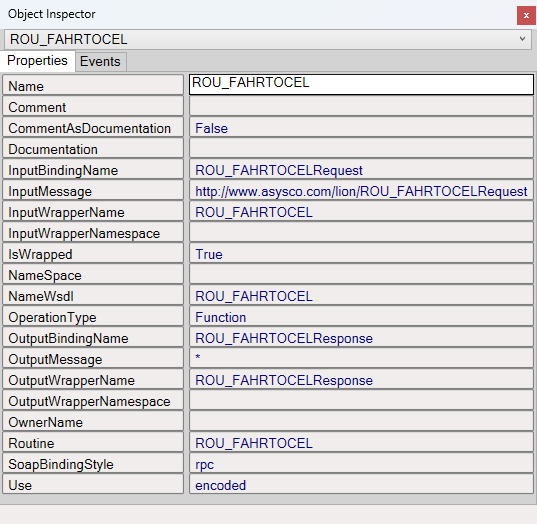
Clicking on an Operation entry will open the Object Inspector window where the details of the selected Operation can be viewed and edited.
Mapping
When an Operation has been selected in the Operation pane, the available Parameter Mappings for this Operation will be listed in the Mapping pane.
Parameters can be added or removed with the buttons above the listed parameters.
Clicking on a Parameter entry will open the Object Inspector window where the details of the selected Parameter can be
viewed and edited.
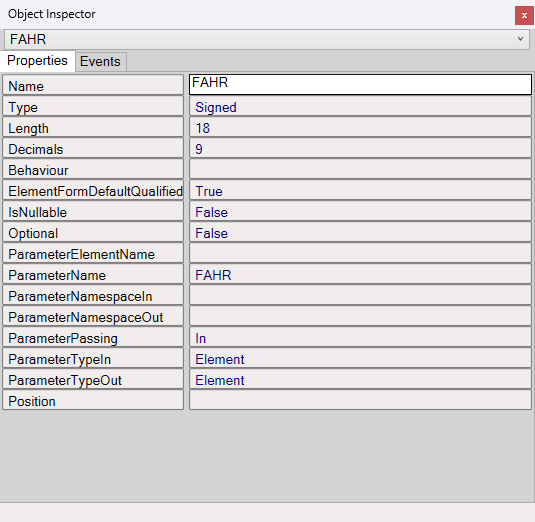
In a Consumable Web Service, the Mapping defines the type and order of parameters in the Web Service subroutines called from the code. See Managing Consumable Mappings.