AMT Help Files

WSDL Contract
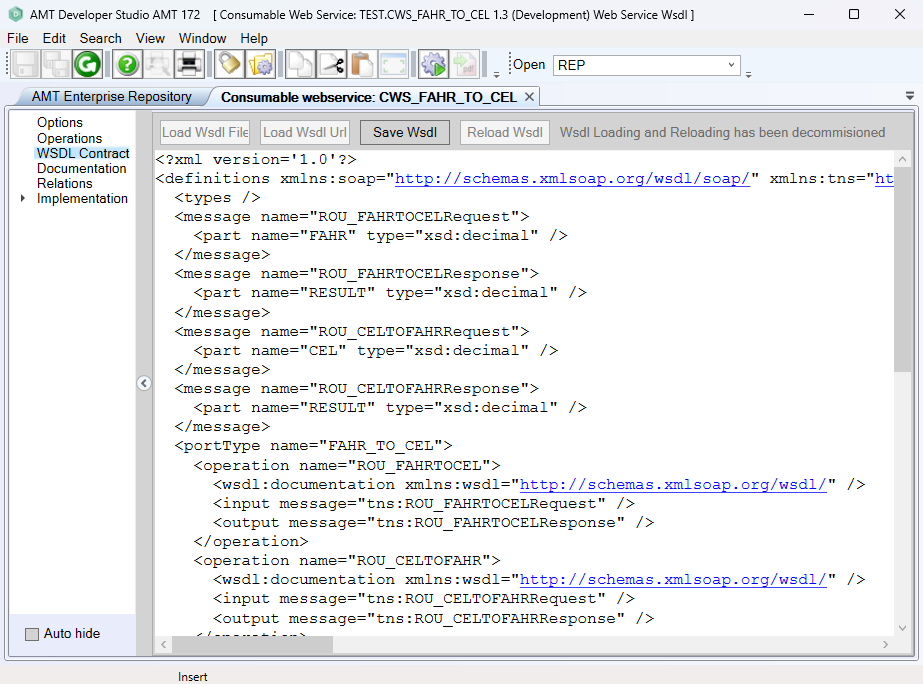
In the WSDL Contract screen, the WSDL contract for the Consumable Web Service is shown.
| WSDL loading and reloading removal |
|---|
| From AMT 143, it is no longer possible to load or reload WSDL files. |
Consumable Web Service
In a Consumable Web Service, the WSDL contract can be loaded from a file or retrieved from an active Web Service.
Load WSDL File
This button is no longer active since AMT 143.
Load WSDL URL
This button is no longer active since AMT 143.
When the WSDL contract has been retrieved, it is shown in the WSDL Contract screen and all necessary settings for the Consumable Web Service are retrieved from the contract. You can review them in the Operations screen.
Save WSDL
Click the 'Save WSDL' button to save the displayed WSDL contract as a WSDL file.
Reload WSDL
This button is no longer active since AMT 143.