
Creating a Basic Runtime Configuration Set
A default configuration set is necessary for a basic runtime environment. A configuration set is a combination of a Basepaths configuration, a Logging configuration, and a Runtime Behaviour configuration. This page will guide through the process of adding these configurations to the AMT environment.
Basepaths Configuration
A basepath is a default directory that is used in an AMT Environment. Follow the steps below to add a new basepaths configuration.
- Navigate in the Control Center to System Configuration → System Setup and select the Basepaths tab.
- Select the Add button to create a new configuration.
- Add a description and fill out each following field with a basepath. The image below displays an example of a
configured basepaths configuration.
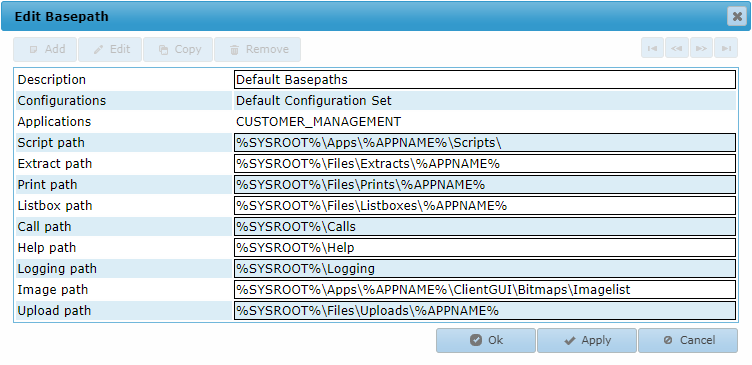
The shown basepaths structure is a workable default as advised for AMT. It is also an example of the installation directory structure.warning The image path needs to be accessible by the FileController and all Application Servers.
- Select the Ok button to save the basepaths configuration and close the window.
The variable %SYSROOT% will automatically be replaced by the System basepath.
The variables %APPNAME% and %APPROOT% will automatically be replaced by the name and path of the application, respectively, as defined in the Control Center when adding an application.
See the Basepaths page for more information.
Logging Configuration
A logging configuration is a set of rules that dictate what kind of information to keep about things that happen in an AMT environment. Follow the steps below to add a new logging configuration.
- Navigate in the Control Center to System Configuration → System Setup and select the Logging configurations tab.
- Select the Add button to create a new configuration.
- Add a description and configure the logging settings to your needs. The default settings can be used.
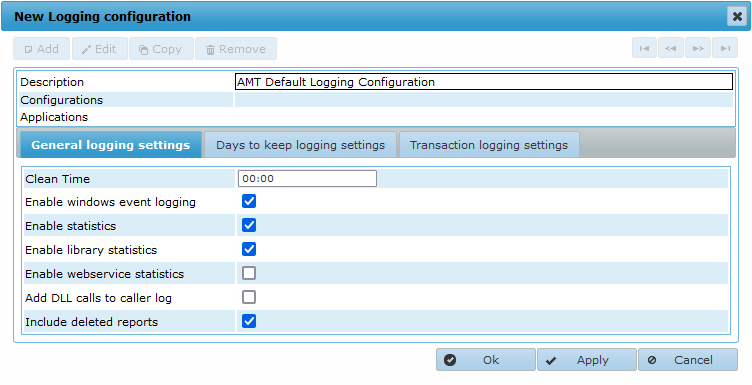
- Select the Ok button to save the logging configuration and close the window.
See the Logging Configurations page for more information.
Runtime Behaviour Configuration
A runtime behaviour configuration is a set of rules that dictate how an application behaves when specific actions are performed.
- Navigate in the Control Center to System Configuration → System Setup and select the Runtime Behaviour configurations tab.
- Select the Add button to create a new configuration.
- Add a description and configure the runtime behaviour settings to your needs. The default settings can be
used.
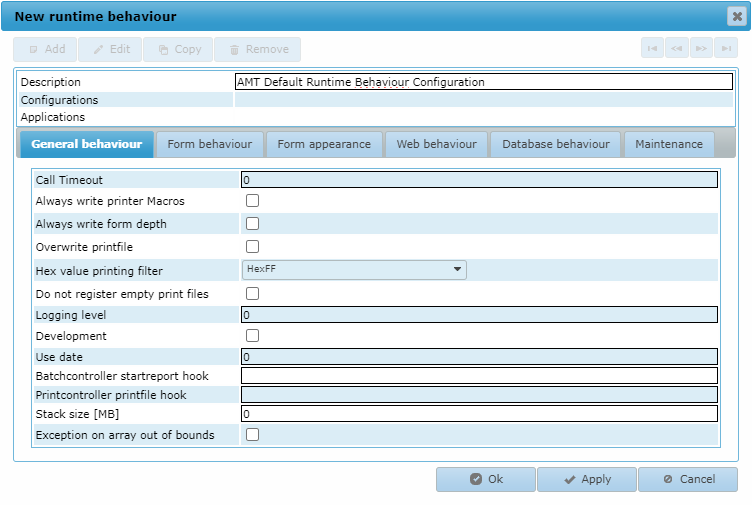
- Select the Ok button to save the runtime behaviour configuration and close the window.
See the Runtime Behaviour Configurations page for more information.
Configuration Set
A configuration set is a set combining a Basepaths configuration, a Logging configuration, and a Runtime Behaviour configuration that can be used by applications in the AMT environment.
- Navigate in the Control Center to System Configuration → Architecture and select the Configurations tab.
- Select the Add button to create a new configuration set.
- Select a Basepaths, Logging, and Runtime Behaviour configuration.
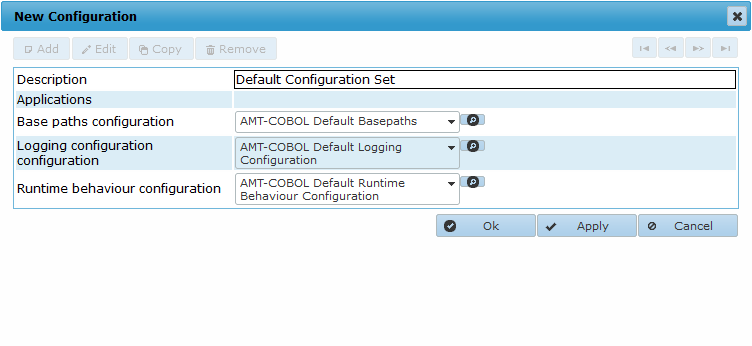
- Select the Ok button to save the configuration and close the window.
See the Configurations page for more information.