AMT Help Files

Audit configuration
In the Audit tab, you can select the Security Configuration components that generate audit information when component settings are changed.
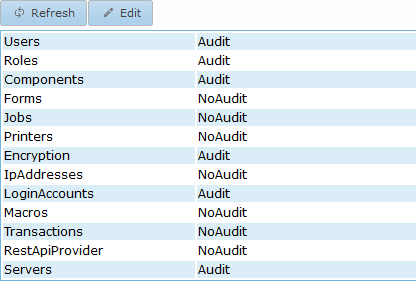
You can view this audit information on the Processed -> Audit messages page in Control Center. To change these settings, click Edit, select either Audit or NoAudit for each component, and then click Apply at the bottom.