
Files
Form-, report- and global-routine-dll objects support the use of (ASCII or Unicode) text files for storing and requesting data. In the "Files" node for these objects, you can define the necessary parameters for local calls to these text files. Instead, it is also possible to set file definitions globally.
The following suboptions are available:
- IDs: By selecting this node, you can add an identifier for referring to a text file.
- Layouts: By selecting this node, you can add layouts for your textfiles. Layouts are needed to organize your text files.
- Indexes: By selecting this node, you can add file indexes to speed up the search for a record in a text file. More than one index may be added.
An advantage of using these external files as data objects, is that these files can also easily be read and/or modified outside the AMT application.
IDs
When a file-id has been created its properties can be changed by selecting the new file-id node in the treeview on the left.
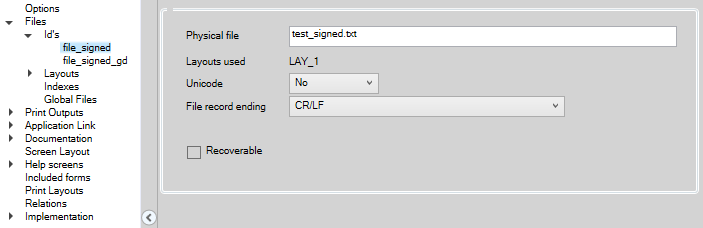
Physical file: A filename to use for this file-id can be preset here. It can also be set or changed in the code.
Layouts used: this will show the layout that has been chosen when creating the file-id.
Unicode: Setting if the file will be handled as file containing Unicode text. Values are:
- Default, use the setting that has been set in the application options
- Yes, regardless of the application settings, the file will be handled as file containing Unicode text
- No, regardless of the application settings, the file will not use Unicode
File record ending: Used to set the record delimiter used in the file. Possible values are:
- Default, the setting in Application options will be used
- CR/LF Carriage return/Line feed (normal for most text files)
- CR Carriage return only
- LF Linefeed only
- None, no delimiter. Records will be separated on basis of record length as defined in your layout table only.
Layouts
Adding a File Layout
When the Layouts node is selected it is possible to add two types of Layouts
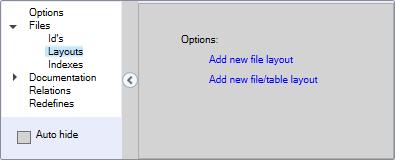
Add new file layout will add a file layout which can be created by adding fields in the Amt Developer Studio.
Add new file/table layout will add a file layout which is copied directly from an existing database table. Changes to layout are then only possible by changing the database table layout.
New File Layout
When Add new file layout is clicked a name for the new layout should be entered as shown below.
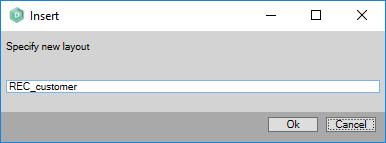
After entering the name and clicking the Ok button the developer is presented with an empty layout. This layout can then be filled by right clicking on the empty layout and select one of the presented options.
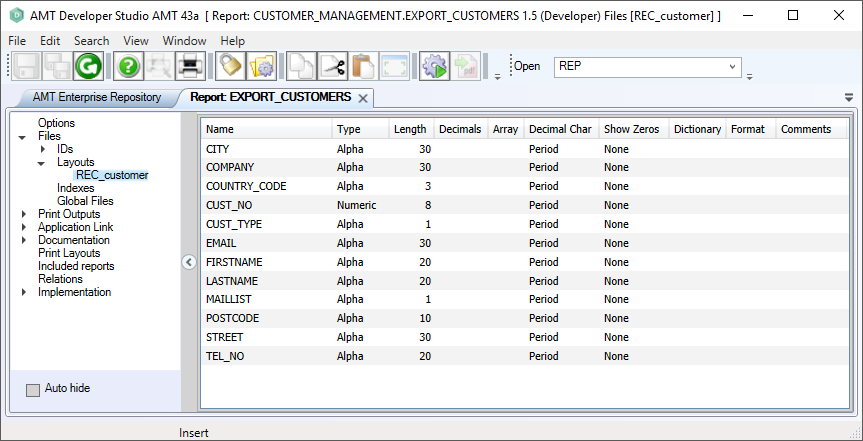
The example below shows the layout table "REC_customer" that applies to the report EXPORT_CUSTOMERS.
Please note that within an object you can also read files that are created by another object. So the outputfile of the form "FRM_1" can for instance be the input for report "REP_B".
New File/Table Layout
When Add new file/table layout is clicked also a name should be entered for the new layout as shown above. When the name for the layout has been set the dialog shown below will open.
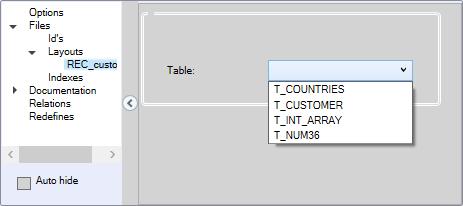
From the pull down menu an existing table of the application should be selected (e.g. T_CUSTOMER). After the selection the dialog will show the selected table as shown below.
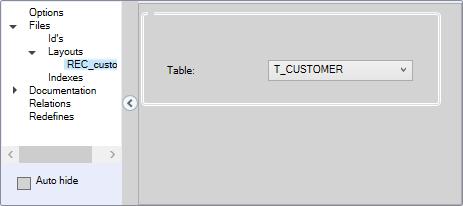
Now the fields of the layout REC_customer will always be an exact copy of the fields in the table T_CUSTOMER. Any changes in the layout of the table will be directly available in the file layout.
Indexes
It is possible to create indexed text files by adding a new index to the node Indexes.
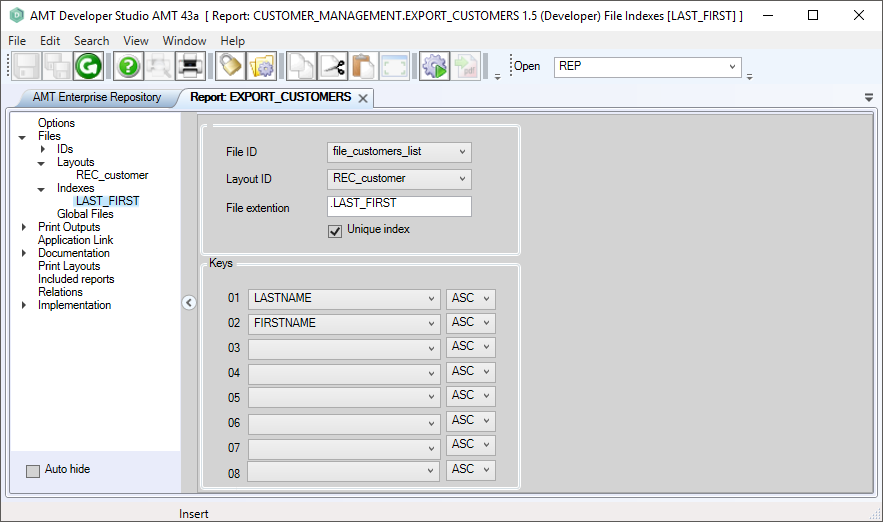
Field descriptions:
- File ID: an in this report existing File ID can be selected for the index to work on
- Layout ID: an in this report existing record layout can be selected for the index
- File extension: the extension to use for the index file. Default is the name of the index
- Unique index: when checked records with the same values for the index keys are not allowed and will raise an error
- Keys: in this section the record fields to use as index keys can be selected together with the option to use them ascending or descending