AMT Help Files

Print Layouts
Follow the instructions below to add a Print Layout in a Form.
- Open the Form from the repository.
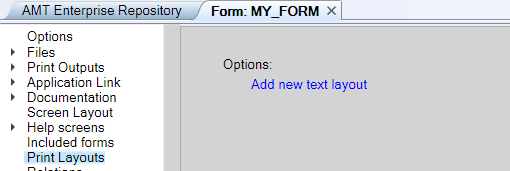
- Select the Print Layouts node from the left pane, then select Add new text layout.
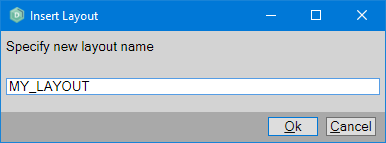
- Specify a name for the layout and select the OK button.
A separate layout for each application language is automatically created for each Print Layout subnode when multiple language definitions are selected for your application. It is important to set the system item SI-language to the desired language before printing anything to the layout when multiple language layouts are used.
Visit the following links that lead to sections of the Print Layout page to learn more about Print Layouts:
- Editing A Print Layout
Contains information about where to find the text or graphical Print Layout in a Form, Report, or Global Routine, and how to view its properties in the Object Inspector. - Layout Objects
Contains information about placing objects, the selection and alignment of objects, and the layering of objects. - Show Items List
Displays a list of all objects in a Print Layout.